How to choose a sit-stand desk
Single desk, back-to-back pair or a run of positions? What to decide first, which frame and top options matter, and how to keep cables tidy when the desk moves.
A sit-stand desk lets one person work seated in the morning and on their feet after lunch, or lets two people of very different heights share the same desk. The choice comes down to four things: the layout, the frame, the top and the cables. Settle those and the rest is a matter of finish.
Decide the layout first
Before you look at colours, work out how the desks will sit in the room. Sit-stand desks come in three broad layouts, and each one suits a different kind of space.
Single desks
A single desk has its own frame and its own controls. It suits a private office, a home office or any team where people want to set their own height. Singles can go side by side in a row, but each one moves on its own, so leave a small gap between the tops.
Back-to-back desks
Back-to-back units seat people opposite each other on one shared frame, in 2, 4 and 6 person versions. They use less floor space in an open-plan room than the same number of singles. People facing each other may want different heights, so check on the product page how each position adjusts. A screen between the facing desks gives each person a little privacy, and linking bars join units into longer runs.
Bench runs
Bench desking puts a long line of positions on shared legs. The standard bench desks in the range are fixed height, so for a bench-style layout where people can also stand, choose the back-to-back sit-stand units instead.
Not sure how much room a layout needs? The size guide gives typical spacing between rows of desks and behind each chair.
The frame: colour, feet and panels
The frame does all the lifting, so look at it closely. On the Air desks you choose the leg colour, black, silver or white, and on some models a standard or piste foot.
A steel modesty panel is an option on several desks. It screens legs and cables from the front, which is worth having on a desk that faces a door or a walkway.
Already have a good desktop? A height adjustable leg frame is sold on its own too, in the same three colours.
Most important of all, check the height range on the product page against the people who will use the desk. It should go low enough for your shortest user to sit with forearms level with the top, and high enough for your tallest user to stand the same way. On a shared desk, that range matters more than anything else on the spec.
The top: width, shape and finish
Full-size sit-stand desks run from 1200mm to 1800mm wide, and the lighter Air Lite desks start at 1000mm. As a guide:
- 1000mm suits a compact desk or a home office.
- 1200mm takes a monitor and a laptop.
- 1400mm takes two monitors, or one monitor and paperwork.
- 1600mm to 1800mm gives room to spread out, or to hold a quick meeting at the desk.
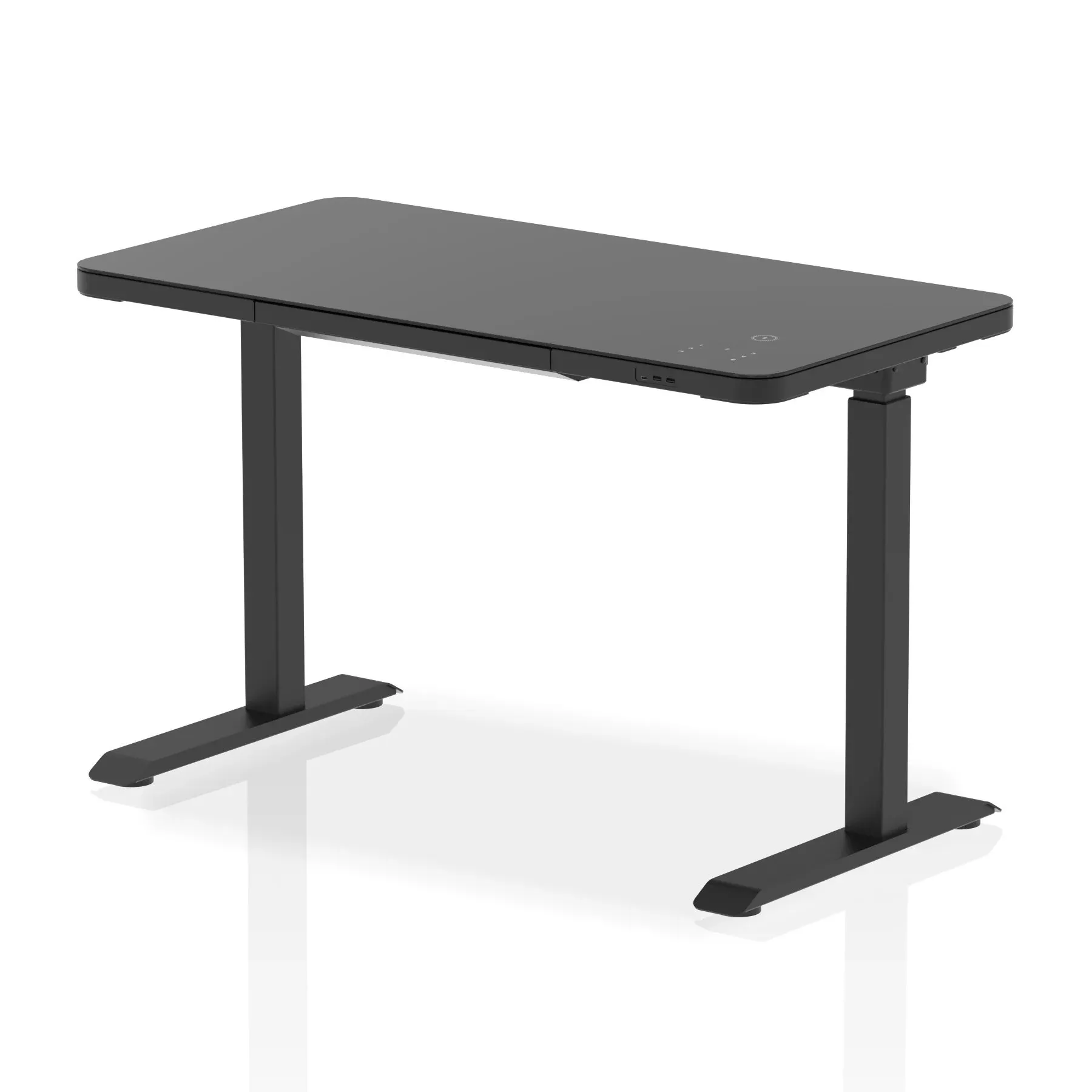
Then the shape. Straight tops are the standard. Slimline versions suit narrower rooms, so check the depth on the product page. Scalloped edge tops have a curved cut-out along the front edge. Tops with cable ports have holes for leads to drop through, and there are versions without them for a plain surface.
Finishes include oak, grey oak, walnut, maple and beech woodgrains, plain white or black, and on many desks colours such as dark teal, moss green, brick red, carbon grey and dove grey.
Cables have to move with the desk
This is where a sit-stand desk differs most from a fixed one. Every lead running from the desk to the wall has to travel the full height range, several times a day. Plan for it from the start:
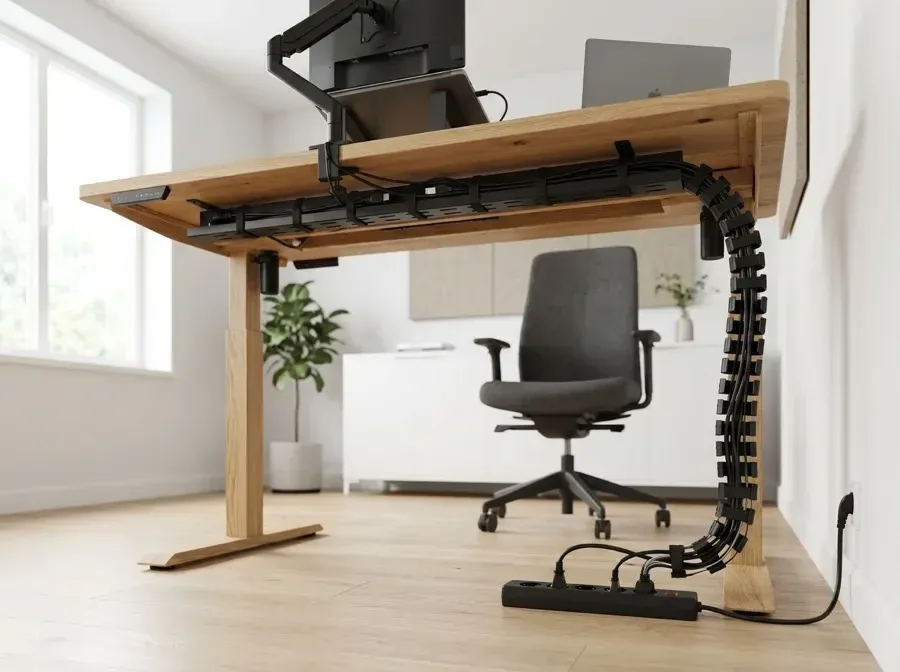
- A cable tray under the top holds extension leads and adaptors off the floor.
- A cable spine, the jointed column in the photo above, guides leads from the tray down to the floor and flexes as the desk goes up and down.
- Leave enough slack with the desk at full height, then tidy the spare so nothing drags when it is lowered.
- Keep the desk clear of windowsills, shelves and radiators so it cannot catch on its way up.
Back-to-back units have a cable spine of their own. Spines, trays and desktop power are all in cable management.
The extras that make standing work
A monitor arm keeps the screen at the right height as you move between sitting and standing, and it frees up space on the top. An anti-fatigue mat takes some of the strain out of standing on a hard floor. Desktop screens between facing desks cut down on distraction. You will find arms, cradles and other add-ons in monitor arms and desk accessories.
Delivery and installation
Sit-stand desks usually arrive flat-packed. On many desks you can add installation at checkout, and for sit-stand and bench desks it is charged for each user position. For a whole floor of desks, send us the list and the room sizes through request a quote.
A quick checklist
- Layout: single, back-to-back or bench?
- Height range: does it suit your shortest and your tallest user?
- Top: width, shape, cable ports and finish.
- Frame: leg colour, foot and modesty panel.
- Cables: a tray, a spine and enough slack.
Browse every sit-stand desk, or, for team areas, the back-to-back sit-stand range.